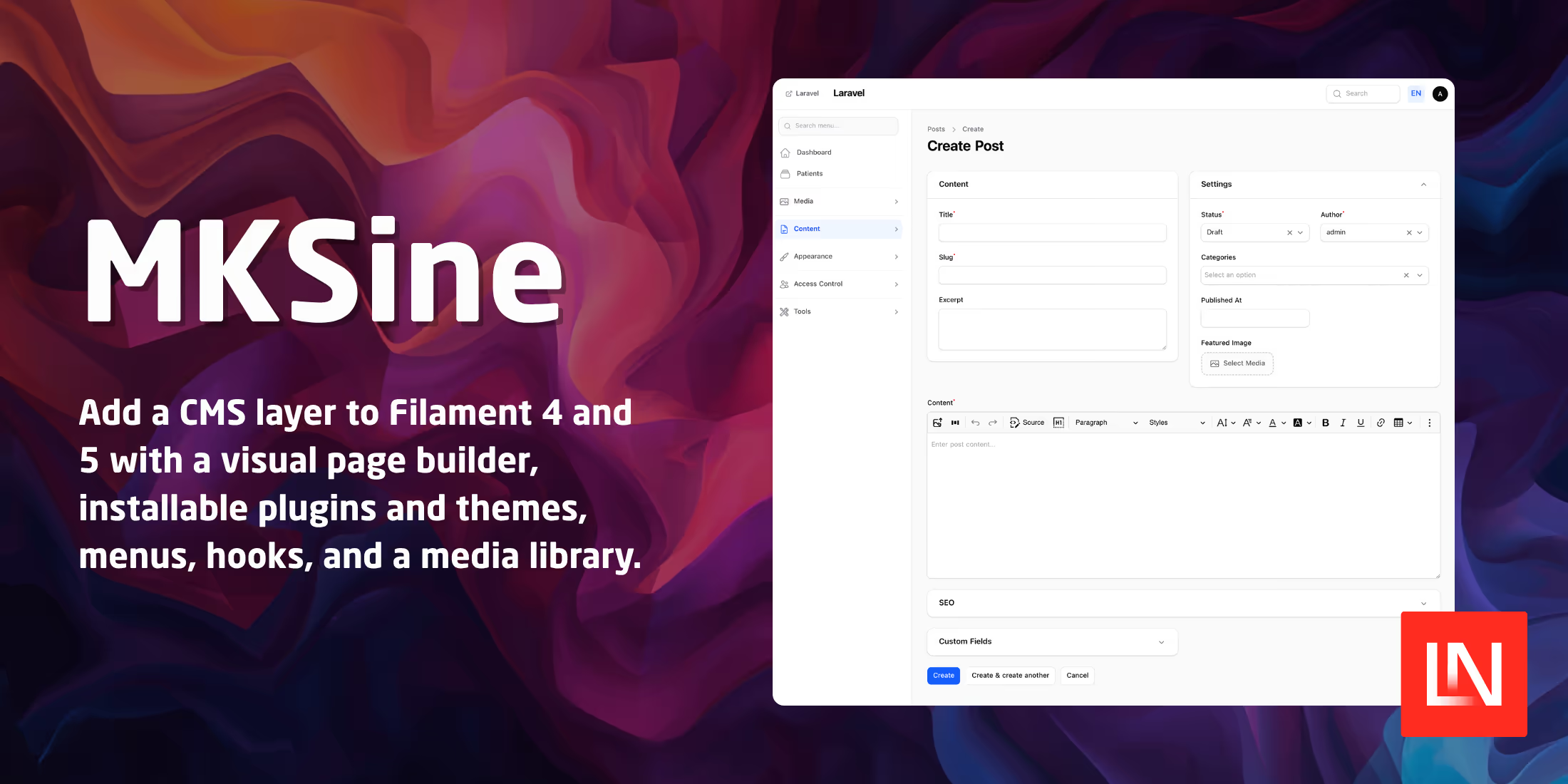
Some Laravel projects need a marketing site alongside the application, with pages an editor can update, a menu someone can reorder, and a place to store images. Filament covers the admin panel, and you usually write the content layer around it by hand. MKSine, by Miran Salehi, provides it: pages, posts, categories, a block-based page builder, themes, menus, a media library, and a plugin system with an install-and-activate lifecycle. It targets Filament 4 and 5.
Installing and Bootstrapping
Install the package and set up a Filament panel:
composer require miran/mksine
php artisan filament:install --panels
Then edit two files by hand. In AdminPanelProvider, register MksinePlugin::make() on the panel and delete the ->pages([Dashboard::class]) block, because MKSine registers its own dashboard at /admin and running both returns a 500. In routes/web.php, delete the default Route::get('/') handler, since MKSine serves the homepage through the active theme. Only then run the installer and create the first account:
php artisan mksine:install --migrate
php artisan mksine:create-super-admin
mksine:install publishes config, migrates, and runs shield:generate --all, which scans the panel as it is registered at that moment. If MksinePlugin isn't on the panel yet, it won't create any MKSine permissions, and recovery means running php artisan shield:generate --panel=admin --all yourself afterwards.
Authorisation runs on Filament Shield, which the package pulls in as a dependency along with a language switcher and a select-tree field. Shield writes the policy classes into the host app under App\Policies, and MKSine binds them to its own models through Gate::policy(). The binding is guarded by class_exists(), so a model whose policy was never generated remains unpoliced, and every operation on it is allowed.
The installer also rewrites app/Models/User.php, adding Filament's FilamentUser contract and MKSine's InteractsWithMksine trait. It writes a timestamped backup first, and if that patch fails to apply, the admin menu shows nothing but the dashboard.
Plugins
A MKSine plugin is a directory under plugins/{id}/ with a plugin.php manifest and a class implementing PluginInterface. The manifest names the id, version, namespace, and plugin class:
return [
    'id'           => 'notes',
    'name'         => 'Notes',
    'description'  => 'Demo plugin',
    'version'      => '0.1.0',
    'author'       => 'Your Name',
    'namespace'    => 'Plugins\\Notes',
    'plugin_class' => Plugins\Notes\NotesPlugin::class,
];
Generator commands scaffold the plugin, register it, and add a model and a Filament resource:
php artisan mks-plugin:make notes --author="Your Name"
php artisan mks-plugin:discover
php artisan mks-plugin:install notes
php artisan mks-plugin:activate notes
php artisan mks-plugin:make-model notes Note --migration
php artisan mks-plugin:migrate notes
php artisan mks-plugin:make-resource notes Note --model=Note
Discovery scans each plugin.php and caches the registry at bootstrap/cache/mks_plugins_discovery.php, so later boots read the cache instead of the filesystem. Once a plugin is active, it loads its Filament resources, pages, and widgets from canonical paths without any panel registration. Its migrations stay in the plugin tree and run only through mks-plugin:migrate {id}, and compiled assets publish to public/plugins/{id}/.
The mks_plugins table stores every plugin's state: discovered, installed, active, inactive, or failed. If a plugin's boot() throws, a boot guard marks it failed and writes the message to mks_plugins.boot_error, and the rest of the application keeps running. Deactivating a plugin stops boot() and hides its admin screens while leaving its tables and rows in place. Data is removed only when you uninstall with --delete-data.
Hooks
Extension points come in two families. Discovery hooks are listener classes scanned by php artisan mks:discover, which writes one row per listener into mks_hooks. The row also makes the listener visible in the admin, where a super admin can enable it, disable it, or change its priority. Listeners flagged as system always run. You re-run discovery after every code change.
Runtime hooks are closures or class callbacks registered through the Hooks:: facade inside a plugin's boot(). They stay in memory, get re-registered on each request, and appear nowhere in the admin. Resource relations, widgets, page header actions, and runtime filters are available only this way. Uninstalling the plugin removes its runtime hooks.
Wildcard listener names such as post.* are not supported. Runtime filters registered with Hooks::addFilter() stay out of mks_hooks, so they cannot be toggled. Form and table extensions always run synchronously. Only the FormHookManager catches what a listener throws; the table, resource, and page hooks let the exception propagate. For work heavier than serialising an event, a listener can implement QueueableHookEventInterface and queue itself.
Page Builder Blocks
Page builder blocks extend BaseBuilderComponent. The class describes how the block appears in the picker, the Filament schema used to edit it, and the Blade view that renders it on the site:
use Miran\Mksine\Core\PageBuilder\BaseBuilderComponent;

class PriceTableBlock extends BaseBuilderComponent
{
    public static function getType(): string
    {
        return 'acme_price_table';
    }

    public static function getName(): string
    {
        return __('acme-pricing::builder.price_table.name');
    }

    public static function getIcon(): string
    {
        return 'heroicon-o-table-cells';
    }

    public static function getCategory(): string
    {
        return self::CATEGORY_SECTIONS;
    }

    public static function getSchema(): array
    {
        return [
            TextInput::make('title')->maxLength(255),

            Repeater::make('plans')
                ->schema([
                    TextInput::make('name')->required()->maxLength(80),
                    TextInput::make('price')->required()->maxLength(40),
                    Toggle::make('featured')->default(false),
                ])
                ->reorderable(),
        ];
    }

    public static function getDefaultData(): array
    {
        return ['title' => '', 'plans' => []];
    }

    public static function getRenderView(): string
    {
        return 'acme-pricing::builder.price-table';
    }
}
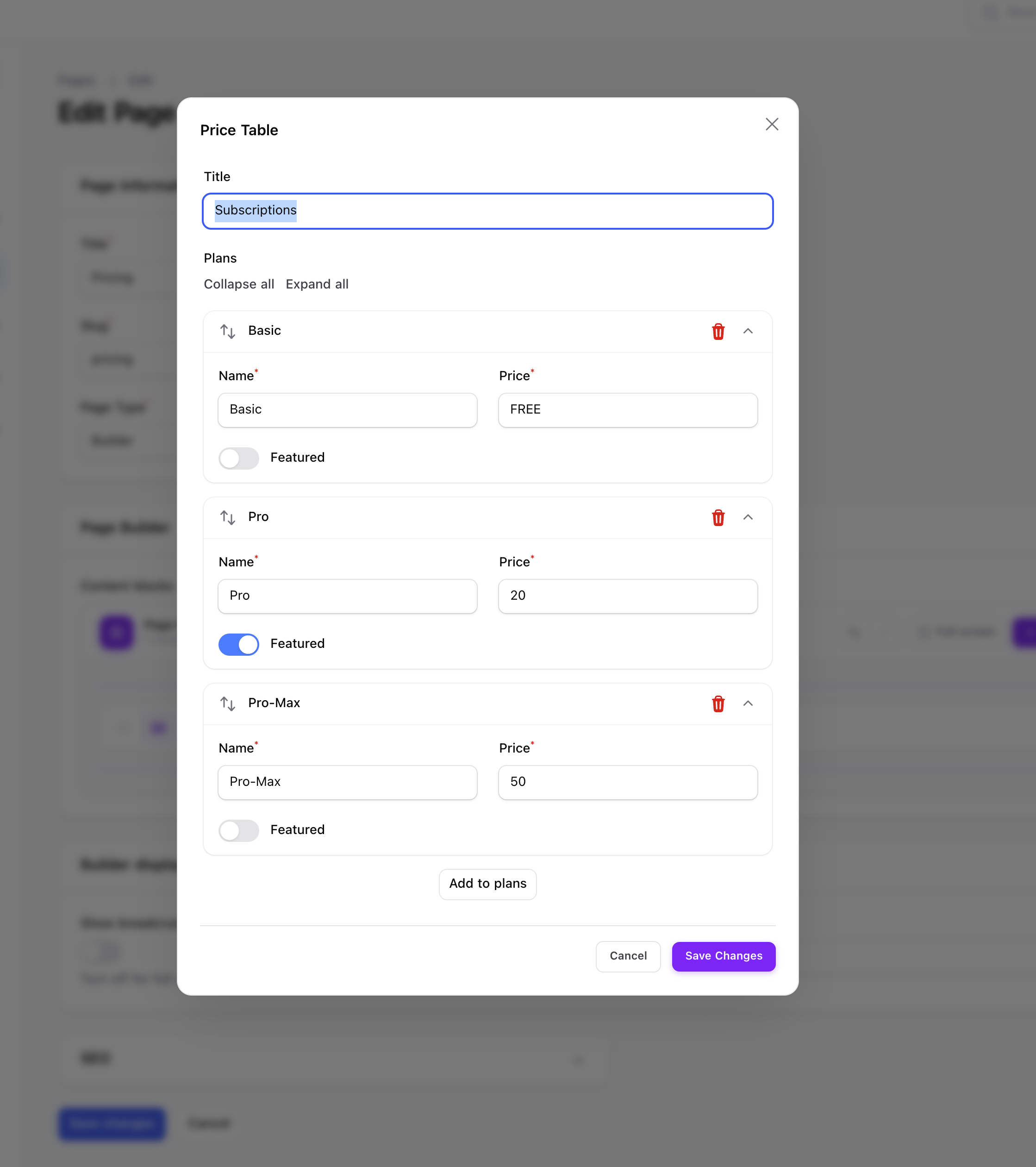
There is no auto-discovery for blocks. Register each one against the ComponentRegistry, usually from a plugin's boot():
use Miran\Mksine\Core\PageBuilder\ComponentRegistry;

app(ComponentRegistry::class)->register(PriceTableBlock::class);
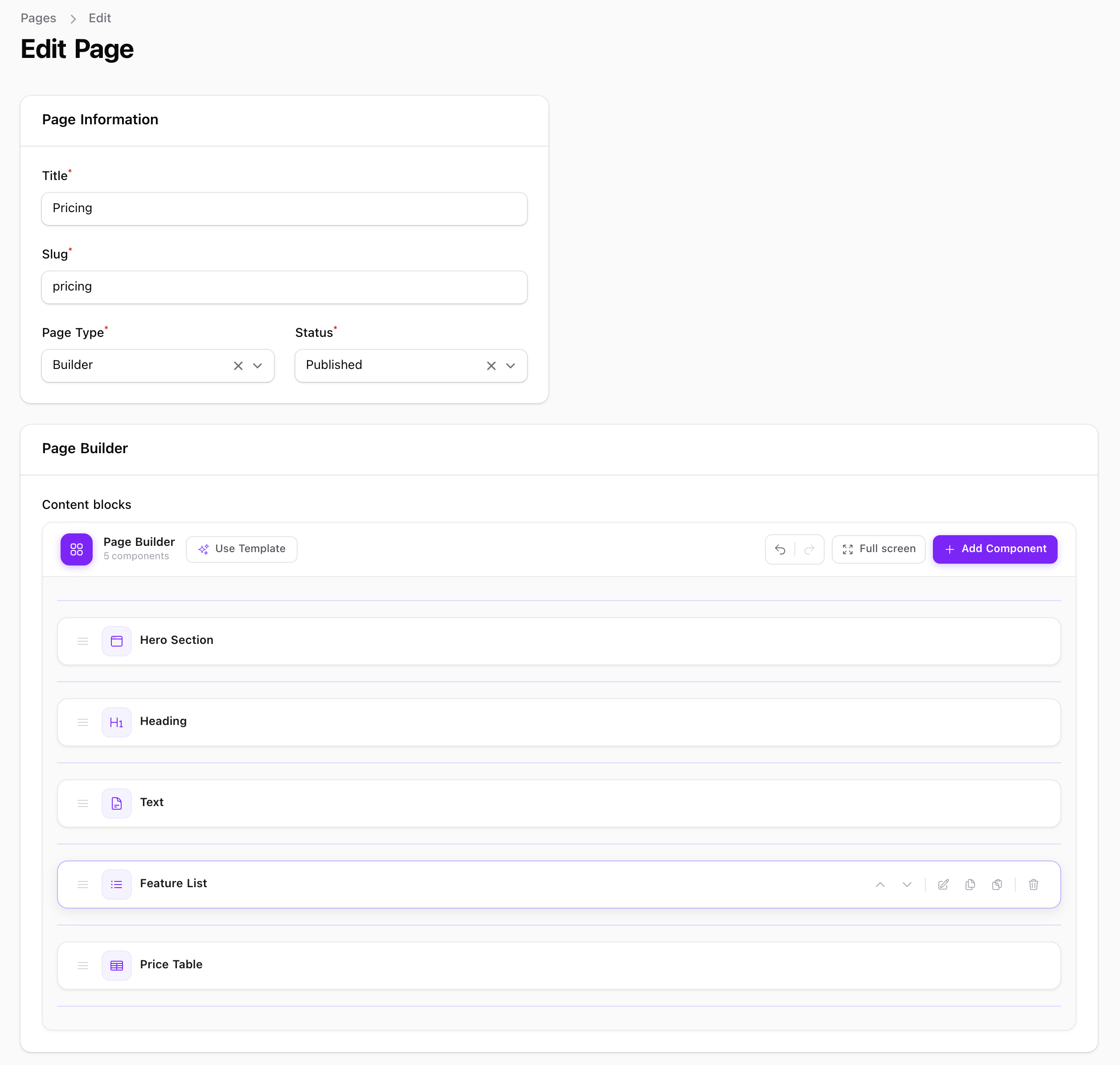
Editors then drag the block onto a page, and the tree is stored in the page's builder_payload column, a JSON column cast to an array on the Page model. The view receives the block's $data array, plus $children when the block is a container. A page last edited a year ago can still hold a payload written against an older schema, so the view has to default every key it reads. When the type isn't registered, or getRenderView() names a view that no longer exists, the renderer checks View::exists() and falls back to a yellow "Unknown component type:" panel that names the type it couldn't resolve.
Blocks have no per-block Shield permission. Anyone who can edit a page can add any registered block, so a block that exposes something sensitive should guard its rendered output.
Settings Tabs
The Settings page has core tabs for General and Permalinks, with Geo on its own page. Plugins add tabs through SettingsTabManager rather than by editing the page class:
use Miran\Mksine\Core\Hooks\SettingsTabManager;

app(SettingsTabManager::class)->registerTab(
    id: 'acme_seo',
    label: fn () => __('acme-seo::settings.tab_label'),
    schema: [
        TextInput::make('acme_seo_meta_description')->maxLength(320),
        Toggle::make('acme_seo_enable_og_tags')->default(true),
    ],
    sortOrder: 50,
);
Tabs are a UI grouping only. Every field is saved to the settings table under its own field name, and mks_setting('acme_seo_meta_description') reads it back with a per-request cache. Because the key is the field name, a plugin that defines site_name overwrites the core site_name, so the docs tell you to prefix every plugin field name. Saving overwrites immediately, with no draft and no audit trail.
Themes, Menus, and Media
A theme is either a package or a directory under themes/{id}/. One theme is active at a time, and it supplies the storefront Blade views along with the published CSS and JS, which a super admin can edit from the panel.
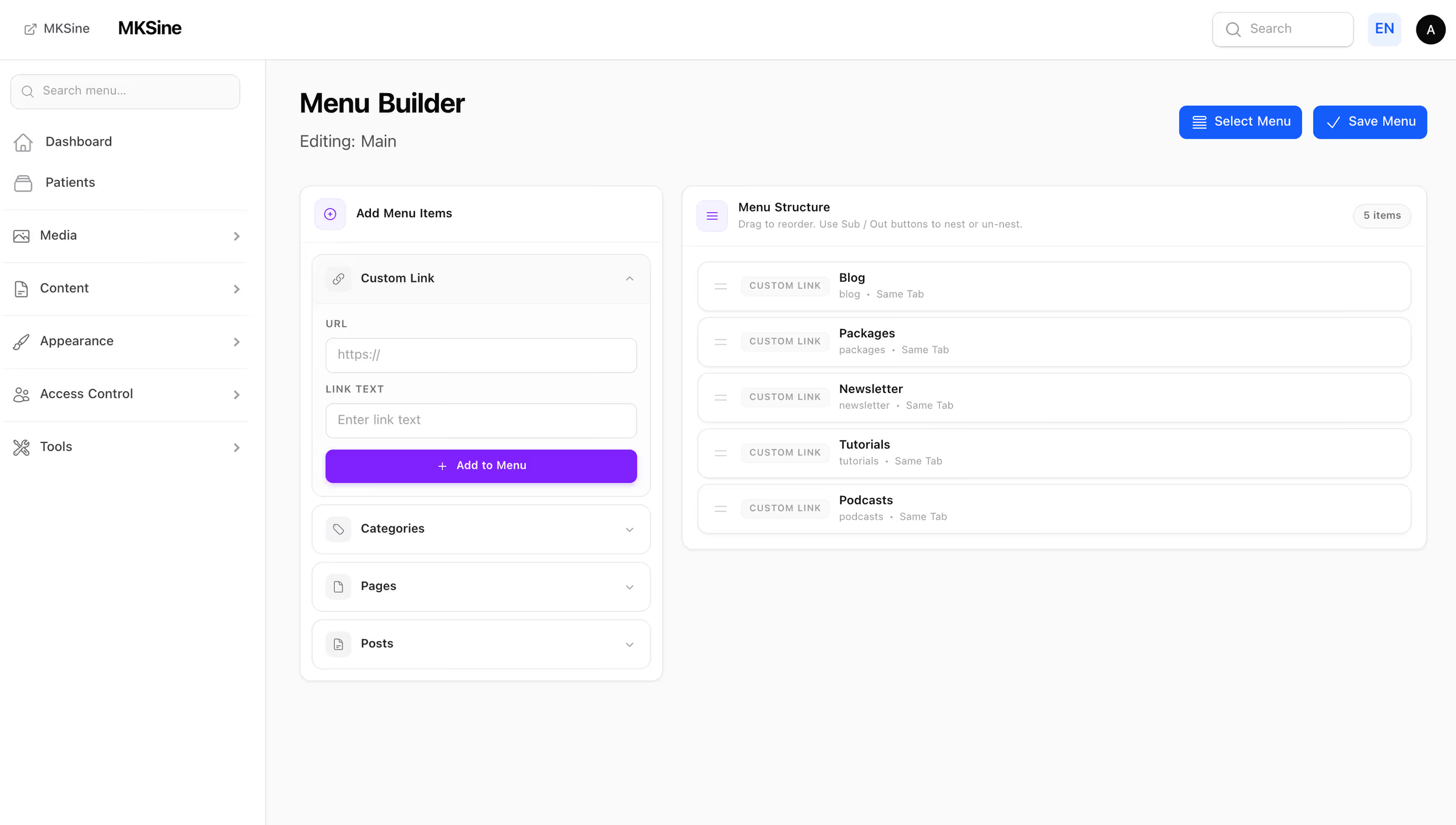
The menu builder handles nesting and drag-to-reorder. Items come from pages, posts, categories, or custom URLs, and each menu is assigned to a theme location such as header or footer.
The media library is the package's own single-disk file store, not a wrapper around spatie/laravel-medialibrary. A media_attachments join table attaches files to any model, and forms pick from the library through a MediaPicker component. Uploads get small, medium, and large thumbnails, and image optimisation is on by default, though that step requires optimiser binaries such as jpegoptim installed on the server.
Translations and the Admin Console
You can edit translation files for the application, plugins, and themes in the panel by language and file.
A console page, restricted to super admins, runs an allowed set of Artisan and Composer commands with live output and a history of what was run.
MKSine requires PHP 8.2, Laravel 11, and Filament 4 or 5, and is MIT licensed. Filament 5 raises that to Laravel 11.28, Livewire 4, and Tailwind 4. It is a community plugin, not developed by the Filament team. The current tag is v1.5.1, so read the source before putting it on a production site. The code, along with the docs covering plugin development, block authoring, deployment, and upgrades, is on GitHub. authoring, deployment, and upgrades, is on GitHub.