Laravel Nova Csv Import
Laravel Nova Csv Import stats
- Downloads
- 213.1K
- Stars
- 144
- Open Issues
- 18
- Forks
- 70
A fully-fledged CSV import tool for Laravel Nova.
Laravel Nova CSV Import

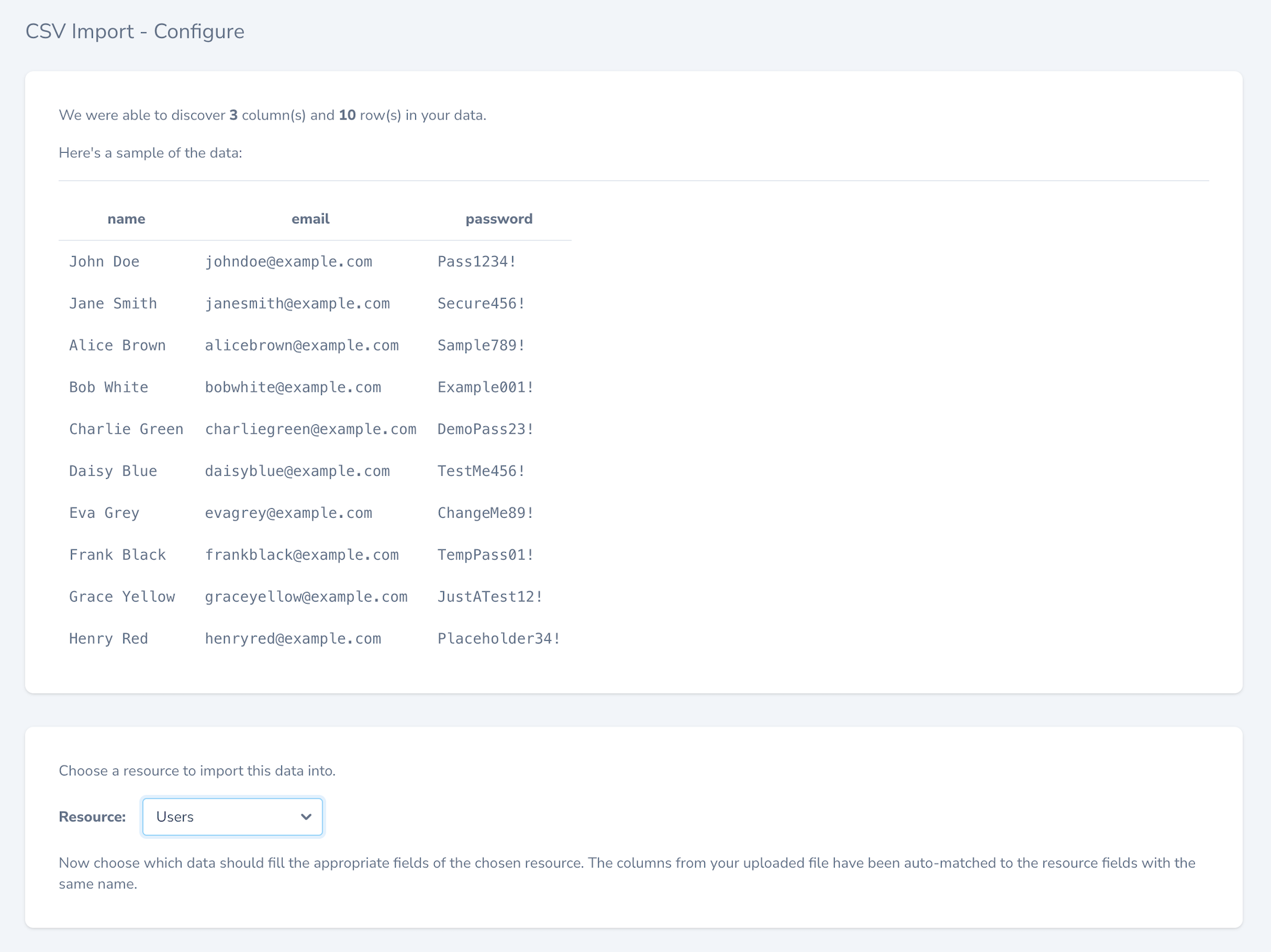
A rich and powerful CSV import component for Laravel Nova. CSV Import allows you to easily upload CSV or Excel files and import their data into any Nova resource.
No need to make your file match your database! The import process lets you choose how to map the relevant columns from your uploaded file to the attributes on your models, with a nice summary at the end of what worked and what didn't.
You can even modify values as they're being imported to add hashing or other manipulations, set custom values, random values and now even combine multiple values to be imported into a single field!
This package was originally built on top of work done by Sparclex on the nova-import-card package.
NB: As of v0.4.0, CSV Import requires Nova v4 and above. For Nova versions prior to v4, please use a CSV Import v0.3.0 or lower. Please also be aware that versions prior to v0.4.0 will no longer be maintained.
Sponsorship
CSV Import is completely free to use for personal or commercial use, however if you're using it for commercial gain I'd really appreciate your support! I accept donations via GitHub.
Thank you 🙏
Installation
Install via Composer:
composer require simonhamp/laravel-nova-csv-import --with-all-dependenciesOnce installed, you must register the component in your app's NovaServiceProvider
(usually in app/Providers/NovaServiceProvider.php):
namespace App\Providers; use SimonHamp\LaravelNovaCsvImport\LaravelNovaCsvImport; class NovaServiceProvider extends NovaApplicationServiceProvider{ public function tools() { return [ new LaravelNovaCsvImport, ]; }}If you have customised your Nova main menu
If you have customised your main menu, then you will need to manually register the tool's menu item in your custom menu for it to appear.
For example, in your app/Providers/NovaServiceProvider.php:
public function boot(){ parent::boot(); Nova::mainMenu(function (Request $request) { return [ // ... other custom menu items MenuSection::make('CSV Import') ->path('/csv-import') ->icon('upload'), ]; }}Options
By default, all of your Nova Resources will be available for import. However, there are a number of ways that you can explicitly limit what's available for importing.
public static $canImportResource = false;
Default: true
Add this static property to your Resource to prevent it from showing up in the Nova CSV Import tool interface.
public static function canImportResource($request): bool
Define a canImportResource method to use more complex logic to decide if this Resource can be shown during import.
If defined, this takes precedence over the $canImportResource property.
Exclude certain fields
CSV Import aims to respect your Nova configuration, but there are times when you want your imports to behave slightly
differently to your Nova interface. For that you can use the excludeAttributesFromImport() method:
public static function excludeAttributesFromImport(): array
Default: []
Define a excludeAttributesFromImport method that returns an array of attribute names that you want to exclude from
being visible in the import tool for this Resource.
Example
// App\Nova\Userpublic static function canImportResource(Request $request){ return $request->user()->can("create", self::$model);} public static function excludeAttributesFromImport(){ return ['password'];}Importer Class
This package uses maatwebsite/excel behind the scenes to handle the actual import. You can find out more about how importing works.
You can define your own importer class by providing the relevant class name in your published copy of this package's config file.
First, publish the config file:
php artisan vendor:publish --tag=csv-importThen, define and register your own importer class:
<?php return [ 'importer' => App\Utilities\Importer::class,];Usage
CSV Import is a powerful tool, but I'm trying to make it simple and easy to use for anyone. For tips and tricks please check out my YouTube playlist.
Full documentation is coming.
Testing
We need tests! Can you help? Please consider contributing.
Contributing
Please see CONTRIBUTING for details.
License
The MIT License (MIT). Please see LICENSE for more details.