Whether you're running PostgreSQL locally or in the cloud, Microsoft's PostgreSQL extension for VS Code brings database management into your editor. Connect to your databases, write and run queries, visualize schemas, and even chat with GitHub Copilot about your data—all without switching windows. Azure users also get Entra authentication built in for Azure Database for PostgreSQL.
GitHub Copilot Integration
The extension includes a @pgsql GitHub Copilot agent that provides AI assistance for PostgreSQL-specific tasks. You can ask Copilot to rewrite queries, explain what a query does, or analyze query performance directly from the context menu.
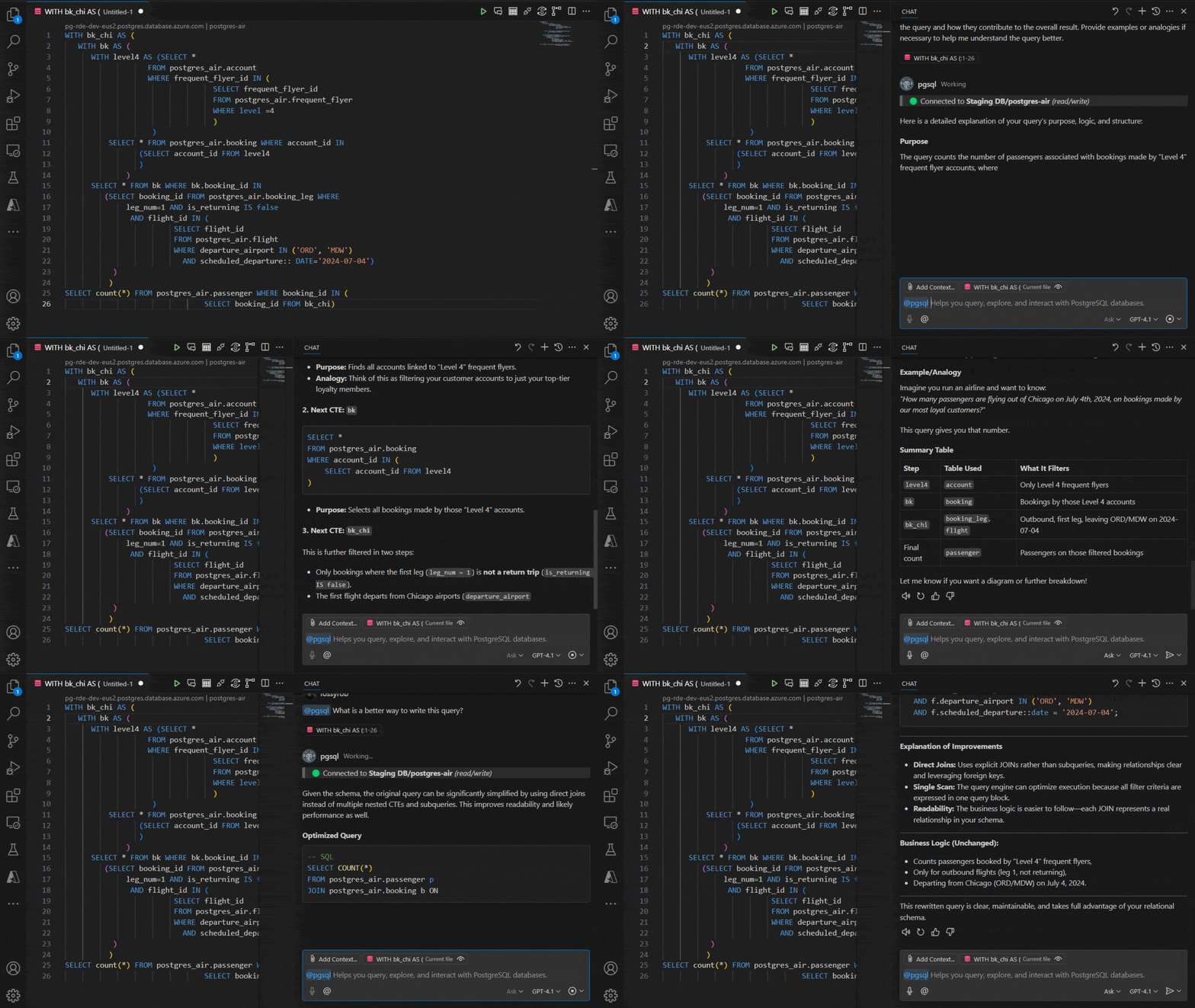
The Copilot Chat Agent Mode takes this further by handling multi-step tasks like debugging, schema optimization, and performance tuning. It asks for permission before executing any changes to your database.
Schema Visualization
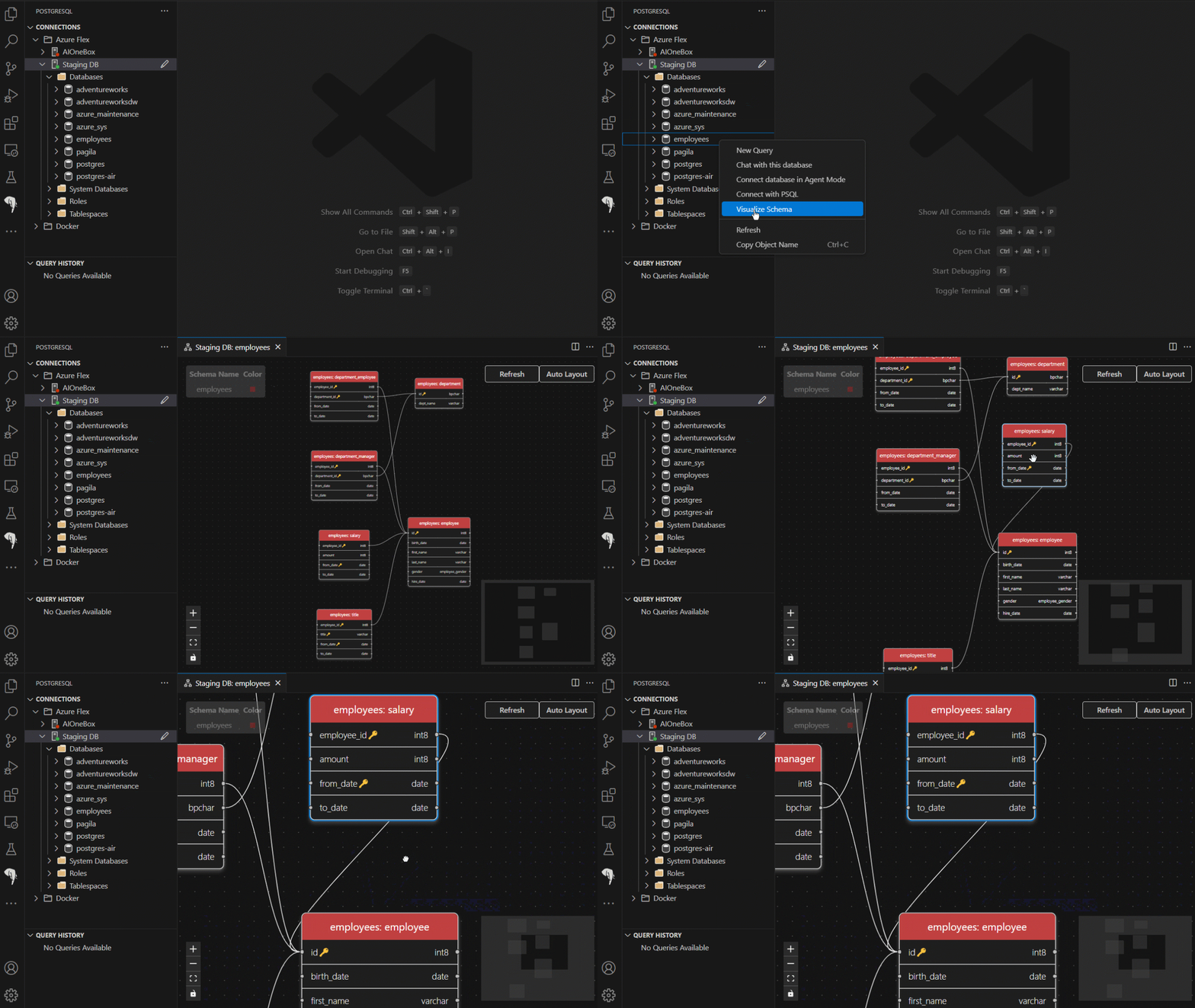
Right-click on any database entry in the Object Explorer and select "Visualize Schema" to see a visual representation of your database structure. This makes it easier to understand table relationships and navigate larger databases.
Connection Management
The extension supports both local PostgreSQL instances and cloud-hosted databases. You can create multiple connection profiles, parse connection strings, and browse Azure Database for PostgreSQL deployments directly from the extension. For Azure users, Entra ID authentication provides passwordless login with automatic token refresh.
Query Tools
Writing SQL in VS Code gets better with context-aware IntelliSense that suggests table names, columns, and SQL keywords as you type. The extension also includes syntax highlighting, auto-formatting, and a query history panel for reviewing previously executed queries.
You can export query results in CSV, JSON, or Excel formats, making it easy to share or import data into other tools.
Docker Support
Need a local PostgreSQL instance for development? The extension can spin up PostgreSQL containers with minimal setup, so you can get a database running without leaving VS Code.
Additional Features
- Server Dashboard: Monitor performance metrics for your PostgreSQL servers
- Schema Migration: Convert Oracle databases to an Azure Database for PostgreSQL with AI-assisted transformation.
- Object Explorer: Browse tables, views, functions, and other database objects
You can install the PostgreSQL extension from the VS Code Marketplace or search for "PostgreSQL" in the Extensions sidebar.