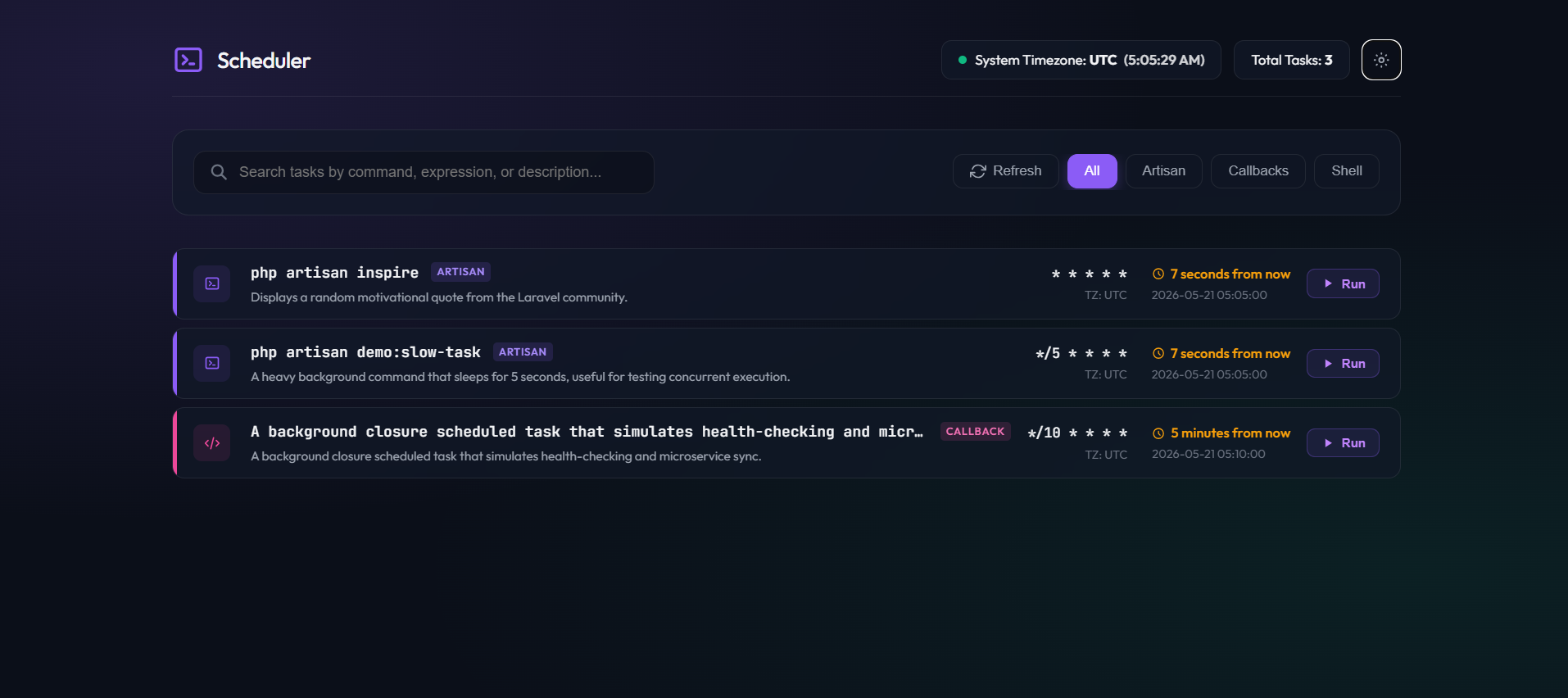
Scheduler List by Akshay is a Laravel package that puts your scheduled tasks behind a web dashboard instead of leaving them in php artisan schedule:list output. It reads the tasks you've registered, shows their cron expressions and next run times, and lets you trigger one from the browser and watch its output stream back.
A List of Every Scheduled Task
The dashboard reads the tasks you register in your console routes and renders them with their schedule, next run time, timezone, and any constraints attached to them. A description() call on a task carries through to the UI, so it's worth adding one:
Schedule::command('inspire') ->everyMinute() ->description('Displays a random motivational quote.');Tasks are grouped by type—Artisan commands, closures, and shell jobs—and you can filter the list by type or run a search across command names, expressions, and descriptions.
Running a Task on Demand
When manual execution is enabled, you can run a task from the dashboard rather than waiting for its next scheduled tick. The package opens a console overlay and streams the command's terminal output back in real time, up to a configurable character limit. This is off by default, and the output_limit config caps how much output the UI will hold (12,000 characters out of the box).
Disabled by Default, Behind Auth
The dashboard ships disabled and gated behind the web and auth middleware. Both the dashboard itself and manual execution are opt-in through environment variables:
SCHEDULER_LIST_ENABLED=trueSCHEDULER_LIST_MANUAL_EXECUTION=falseFor anything beyond a local machine, the README recommends adding a gate so only the right users reach it:
Gate::define('viewSchedulerList', function ($user) { return $user->is_admin;});Running arbitrary scheduled commands from a browser is a real risk, so keep manual_execution off in production unless you've locked down access.
Installation
Install the package via Composer and publish its config:
composer require devakshay/scheduler-list-laravelphp artisan vendor:publish --tag="scheduler-list-laravel-config"Once enabled, the dashboard lives at /schedulers. You can read more and view the source on GitHub.
You can try it on the demo site.