News

How to check what version of Laravel you have installed in 2 seconds

Published Updated

Ever wanted to know what version of Laravel you have installed?

Here is the quickest way to find out...

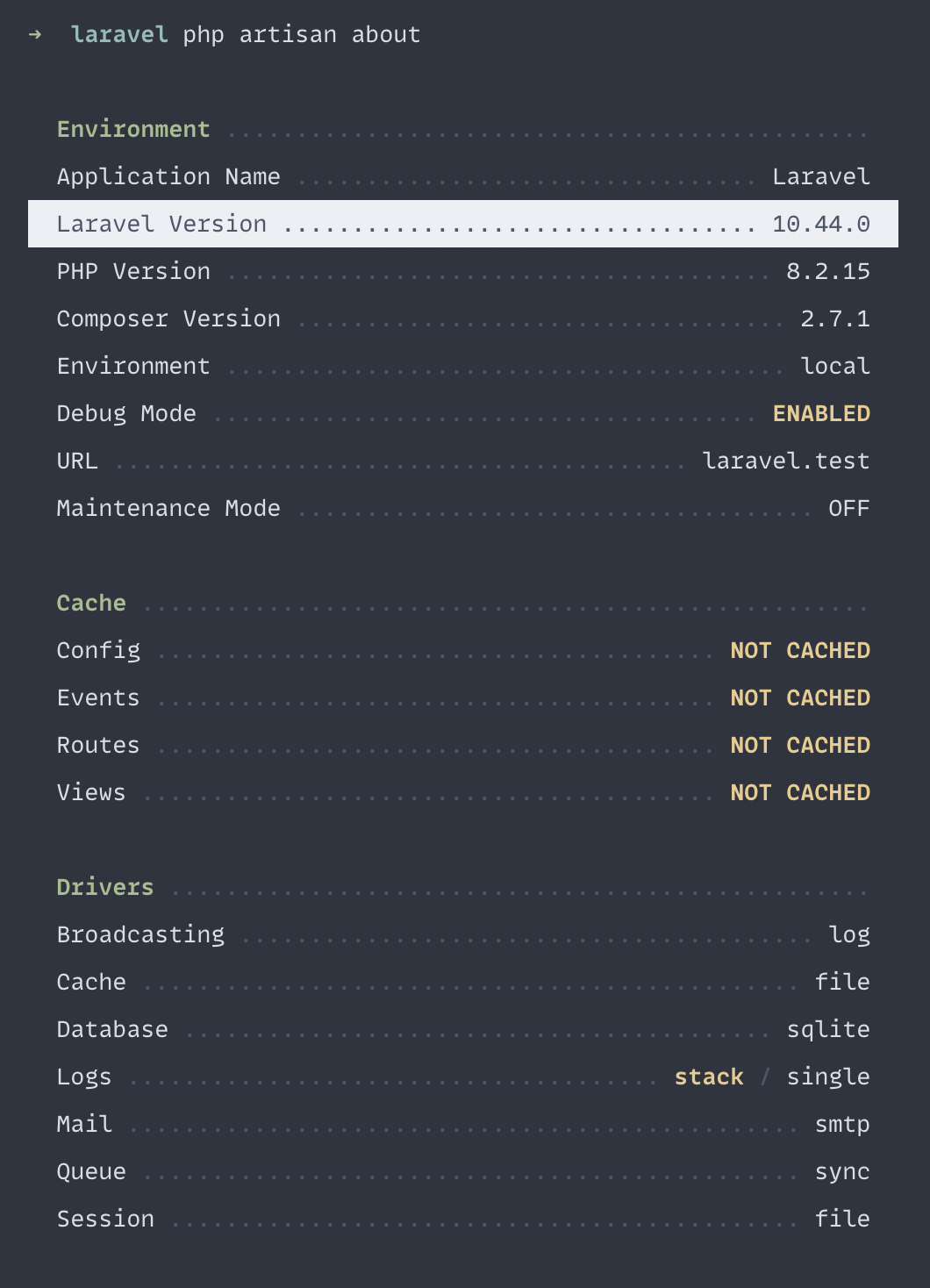
Open your terminal and cd into your project then run:

php artisan about

This will give you a complete list of all your sites details including the version.
Eric L. Barnes photo

Eric is the creator of Laravel News and has been covering Laravel since 2012.

Filed in

Sponsored

laravelcloud logo
Laravel Cloud

Easily create and manage your servers and deploy your Laravel applications in seconds.

Visit Laravel Cloud

The latest

View all →
Generate Laravel Validation Rules From a JSON Schema image

Generate Laravel Validation Rules From a JSON Schema

Read article
Laravel Suspicious Login: Detect and Block Risky Logins image

Laravel Suspicious Login: Detect and Block Risky Logins

Read article
Decide with Jev: Make Failed AI Requests Safe in Laravel image

Decide with Jev: Make Failed AI Requests Safe in Laravel

Read article
Black Friday: Learn the habits behind AI workflows that work image

Black Friday: Learn the habits behind AI workflows that work

Read article
Laravel Black Friday and Cyber Monday Deals 2026 image

Laravel Black Friday and Cyber Monday Deals 2026

Read article
pgjumbo: A PostgreSQL Client for macOS, Windows, and Linux image

pgjumbo: A PostgreSQL Client for macOS, Windows, and Linux

Read article